Table of Contents
Table of Contents
- Importance of Background Removal
- Choosing the Right Tool
- Best Practices for Background Removal
- Common Challenges and Solutions
- Real-World Applications
- Conclusion
In today’s digital landscape, the quality of your images can set you apart and shape how your audience perceives your brand or personal identity. High-quality visuals capture attention, communicate professionalism, and reinforce your message with impact. Whether you are a photographer refining portfolio shots, an e-commerce seller seeking to boost product appeal, or a social media enthusiast curating your feed, background removal is an essential skill. By learning to erase background free effectively, you gain control over your image presentation, avoid distractions, and ensure your subject stands out.
Background removal is no longer limited to graphic designers or advanced Photoshop users. With the growth of AI-powered tools and mobile apps, this technique has become accessible to everyone, regardless of skill level. As a result, mastering background removal opens opportunities for creative design, marketing, and personal branding in ways previously unattainable for most users.
In this comprehensive guide, you will find actionable advice and practical solutions for common obstacles faced when removing backgrounds. The growing demand for clean, object-focused images reflects the new standard for online content presentation. By understanding the process and choosing the right tools, you can dramatically improve your images and elevate your work above the competition.
Whether you want sharper product photos, dynamic marketing materials, or versatile personal portraits, the ability to remove backgrounds helps you tailor visuals to any scenario. As more industries demand transparent or solid-color backgrounds for various digital assets, this skill remains relevant across platforms and professions.
Importance of Background Removal
Removing the background from an image focuses attention squarely on the subject, making the visual message clear and direct. This process eliminates distractions and seamlessly integrates objects or people into new environments for marketing, branding, or creative projects. For e-commerce sellers, a distraction-free background ensures that customers evaluate the product on its own merit, boosting trust and increasing conversion rates. In personal branding, clean headshots with uncluttered backgrounds convey professionalism on platforms like LinkedIn and company websites. Even photographers and digital artists use background removal to experiment with creative concepts, allowing unlimited freedom in composing novel visual scenes.
Choosing the Right Tool
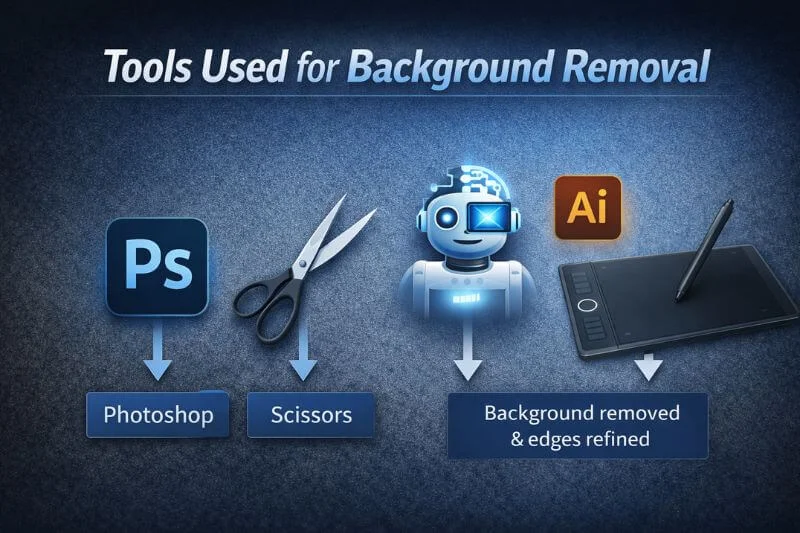
Selecting the best background removal tool depends on the complexity of your image, the required precision, and your editing skills. Here are some leading options:
Adobe Photoshop:
Recognized as the industry standard, Photoshop offers granular control with tools such as Select Subject, Quick Selection, and the Refine Edge Brush. Although it has a steep learning curve and takes time to master, Photoshop produces exceptional results for intricate images with complex edges. For those interested, Adobe’s guide on cutting out images in Photoshop offers step-by-step instructions for both beginners and advanced users.
AI-Powered Online Tools:
Websites such as FLORA’s Background Remover provide automated, fast solutions. These online platforms use artificial intelligence to analyze and extract subjects. Ideal for straightforward images, they are extremely user-friendly, although they may not handle complex details as effectively as desktop software.
Mobile Apps:
Editing apps like PhotoRoom and Background Eraser let you remove quickly on the go. These options are best for basic projects, Instagram posts, or last-minute imaging needs, but offer limited manual control compared to computer software.
Best Practices for Background Removal
Attaining a polished, professional result from background removal depends on following proven practices throughout your editing process:
- Start with High-Quality Images: Begin with sharp, well-lit photographs. Good contrast between the subject and the background facilitates faster, cleaner separation.
- Choose an Appropriate Tool: Match the editing application to your project’s needs. Use Photoshop for precise edits, AI-powered sites for speed, and mobile apps for convenience.
- Refine Edges Carefully: Pay special attention to challenging areas such as hair, fur, and transparent surfaces. Leverage edge-refinement tools to create natural transitions and avoid overly harsh outlines.
- Preserve Natural Shadows: Maintain or recreate realistic shadows. Shadows ground the subject, prevent images from appearing “cut out,” and add depth to the design.
Common Challenges and Solutions
Background removal, while powerful, is not without difficulty. Here are some frequent challenges and ways to overcome them:
You Might Also Like


- Complex Edges: Subjects with hair, fur, or intricate edges require advanced edge detection and manual fine-tuning. Combining automated tools with manual adjustments yields the best results, especially for professional photos or branding materials.
- Low Contrast Between Subject and Background: When the subject’s color closely matches the background, you may need to manually “paint” the mask or use advanced selection tools within editing software to distinguish the boundaries.
- Transparent Objects: Glasses, bottles, or sheer fabrics require careful handling to maintain the desired level of opacity. Layer masks and low-opacity brushes can help retain natural transparency while removing any background distractions. For tips on working with transparent objects in image editing, consult Adobe’s guide on cutting out images in Photoshop.
Real-World Applications
Mastering background removal opens a range of possibilities across industries:
- E-Commerce: Uniform, white-background product images attract shoppers, boost conversions, and comply with major online marketplaces’ requirements.
- Professional Headshots: Removing busy or unprofessional backgrounds delivers versatile images for resumes, business profiles, and promotional materials.
- Marketing Materials: Editors can create banners, social media posts, and advertisements by seamlessly integrating isolated subjects into multiple backgrounds for targeted campaigns.
Conclusion
Background removal is a powerful tool for anyone seeking to enhance the professionalism and versatility of their images. By selecting the right tools, following best practices, and troubleshooting common challenges, you can produce visually striking images for any occasion. Whether for career growth, business success, or personal creative projects, mastering these techniques ensures your visuals always stand out and deliver your intended message with clarity and impact.


![Is Tokyo Ghoul on Netflix? [How to Watch Online]](https://avctv.com/wp-content/uploads/2022/08/AAAABct1DaUzhEt4JeJFeDrmaE_4CGAu39fBN6poMx10hAlWlMRjkkAw84hjmuujWTy2wFC7_Pjnujec-_PqT1GCnnMFMJ15S04baJn1b0WvvbG6hrSNb31_GS4--120x86.jpg)